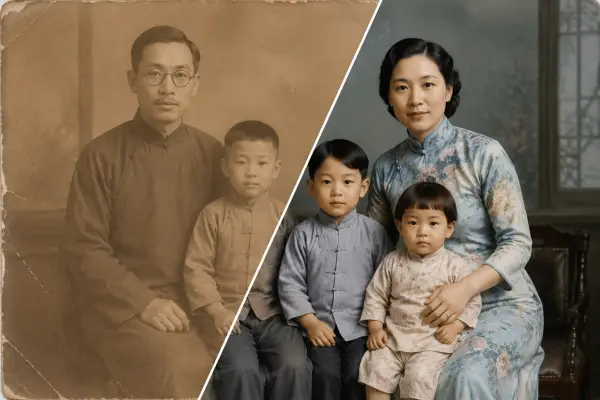
Old family photos
Bring a still portrait of a loved one to gentle, respectful life.
Upload a single still photo and get a smooth 5–10 second clip with natural motion and optional ambient sound. No editing skills, no watermark.
Animate a still photo. Subtle motion, optional ambient sound.
The video aspect ratio follows the uploaded image.
NSFW content will be rejected by the model.
Sign in to generate.
 Your result will appear here
From a still photo to a finished clip in three steps.
Drop in any portrait, pet, landscape or product shot — JPG, PNG or WebP up to 10 MB. Your clip keeps the same aspect ratio as the image.
Say what should move: a soft smile, hair in the wind, a slow camera push-in. Or tap a preset and skip the typing.
In about a minute you get a 5–10 second MP4. Download it watermark-free, ready for Reels, Shorts, TikTok or a message to family.
One still photo is all it takes. These are the things people turn into video most often.
Bring a still portrait of a loved one to gentle, respectful life.

Add a smile, a blink, or hair drifting in the wind to any headshot.
Subtle rotation and light for ecommerce listings and ad creative.
Turn one image into a scroll-stopping Reel, Short or TikTok in seconds.
Most 5-second clips are ready in about 30–60 seconds; a 10-second clip takes a little longer. You'll see live progress while it generates.
JPG, PNG and WebP up to 10 MB. The finished video keeps your image's aspect ratio, so a vertical portrait stays vertical and a widescreen shot stays widescreen.
You can choose a 5-second or 10-second clip. Both are delivered as a standard MP4 you can download and re-upload anywhere.
Yes. Ambient sound that matches the scene can be generated with the clip, or you can keep it silent and add your own audio later.
No. Your clips come out clean, with no ImageMakerLab watermark, on every plan.
A clear subject, good lighting and a single focal point. Sharp portraits, pets and product shots animate beautifully; very blurry or busy images give the model less to work with.
Yes. Your generations are yours by default — use them in ads, listings, social posts or client work. They stay private unless you choose to share one to the public gallery.