Retro Game Engine Filter
Turn your photo into the early-2000s low-poly game look — Source engine, Half-Life 2 and Garry's Mod style. Upload, transform, download. No watermark, 5 free credits on signup.
Retro Game Engine Filter
Turn a photo into the early-2000s low-poly game-engine look.
A nostalgic fan-style filter. Not affiliated with or endorsed by Valve, Half-Life or Garry's Mod.
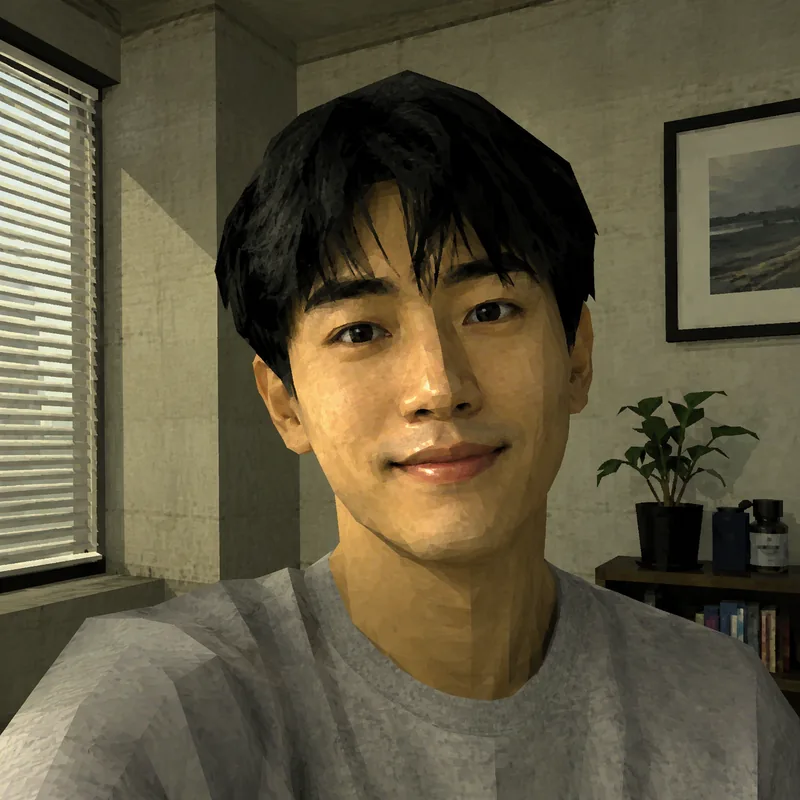

Upload your own image and hit Run.
How the retro game filter works
From a normal photo to a low-poly game character in three steps.
Upload a photo
Drop in a selfie, a friend, a pet or any clear photo — JPG, PNG or WebP up to 10 MB. The result keeps your original framing.
We rebuild it in-engine
No prompt to write — the low-poly Source-engine look is applied automatically. Just choose how many versions you want.
Generate & download
In about 15 seconds you get your low-poly game-engine version. Download it watermark-free and post it anywhere.
Why it looks the part
Not a cheap overlay — a real reinterpretation in the old-engine style.
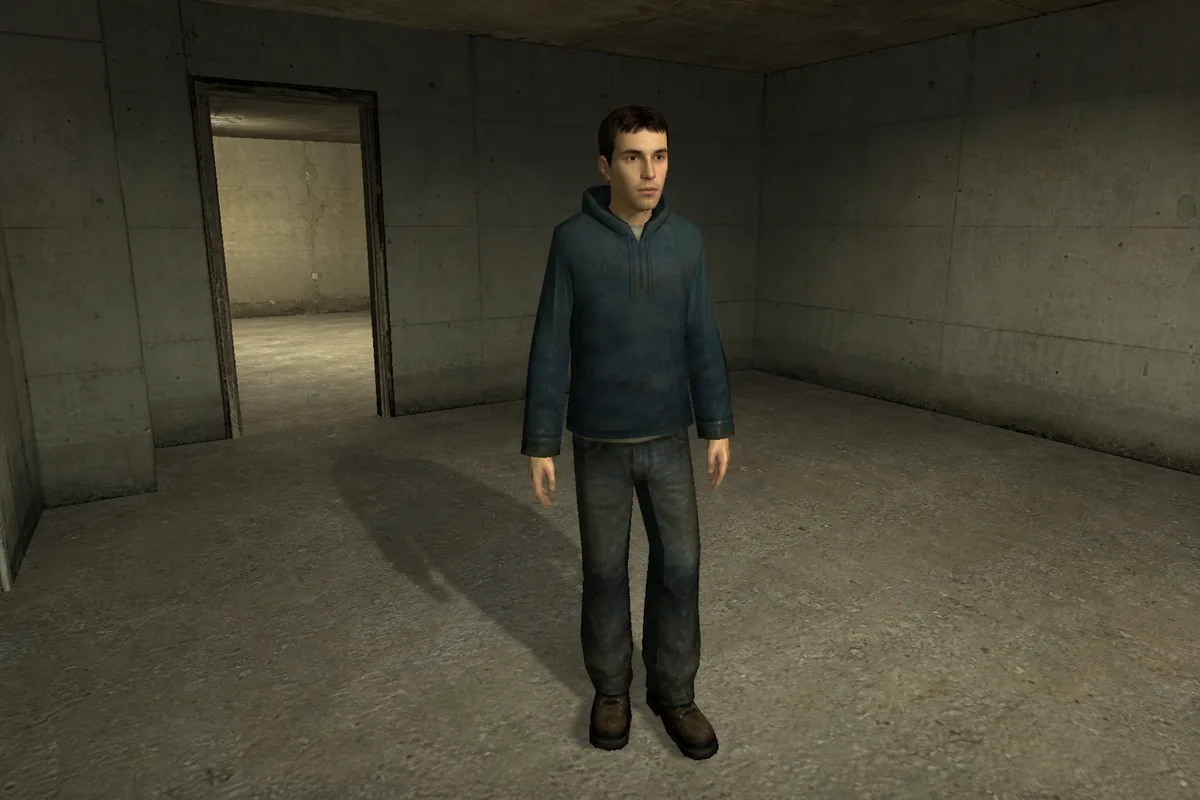
The genuine 2000s engine look
Low-poly geometry, low-resolution textures, harsh flat lightmaps and that plastic early-shader feel — the exact nostalgia of a mid-2000s Source-engine screenshot, not a colour filter slapped on top.
Still recognisably you
The model works from your uploaded photo, so your pose, framing and likeness carry through — you just look like you wandered out of Half-Life 2 or a Garry's Mod sandbox.
Any photo works
Start from a selfie, a group shot, a pet or a landscape. Clear subjects with good lighting turn out best, but half the fun is feeding it something unexpected.
Who it's for
Made for the people who'd get the joke instantly.
Meme makers
Spin up that instantly-shareable "why do I look like a 2004 NPC" post in seconds.
Half-Life & GMod fans
Drop yourself into the aesthetic you grew up on, no modelling or Hammer editor required.
Streamers & creators
Make thumbnails, avatars and bits that lean into retro-gaming nostalgia.
Nostalgia lovers
Anyone who misses the blocky, broken-lighting charm of early-2000s 3D games.
Retro Game Engine Filter — questions, answered
What does this filter actually do?
It re-renders your photo in the early-2000s low-poly game-engine style: blocky 3D geometry, low-resolution textures and harsh flat lighting — the look of a mid-2000s Source-engine game screenshot.
Which games is the look based on?
The aesthetic is inspired by early Source-engine titles of the Half-Life 2 / Garry's Mod era. It's a nostalgic, fan-style homage to that visual feel — not assets or content from any specific game.
Does it keep my face / the subject?
Yes. It works from your uploaded photo, so the subject, pose and framing carry through. You stay recognisable — just rebuilt as a low-poly character.
What kind of photo works best?
A clear subject, good lighting and a single focal point. Sharp portraits and front-facing shots convert most convincingly; very dark or busy images give the model less to work with.
What formats and sizes can I upload?
JPG, PNG and WebP up to 10 MB. The result keeps your image's aspect ratio. The credit price is shown on the Generate button before you spend anything.
Is this affiliated with Valve, Half-Life or Garry's Mod?
No. This is an independent, nostalgic fan-style filter and is not affiliated with, endorsed by, or sponsored by Valve, Half-Life or Garry's Mod. Those names are used only to describe the visual style.
Is there a watermark? Can I use the results?
No watermark on any plan. Your results are yours to share and use, and stay private unless you choose to post one to the public gallery.